Preboarding & onboarding for frontline operations

From signed offer to a productive shift.

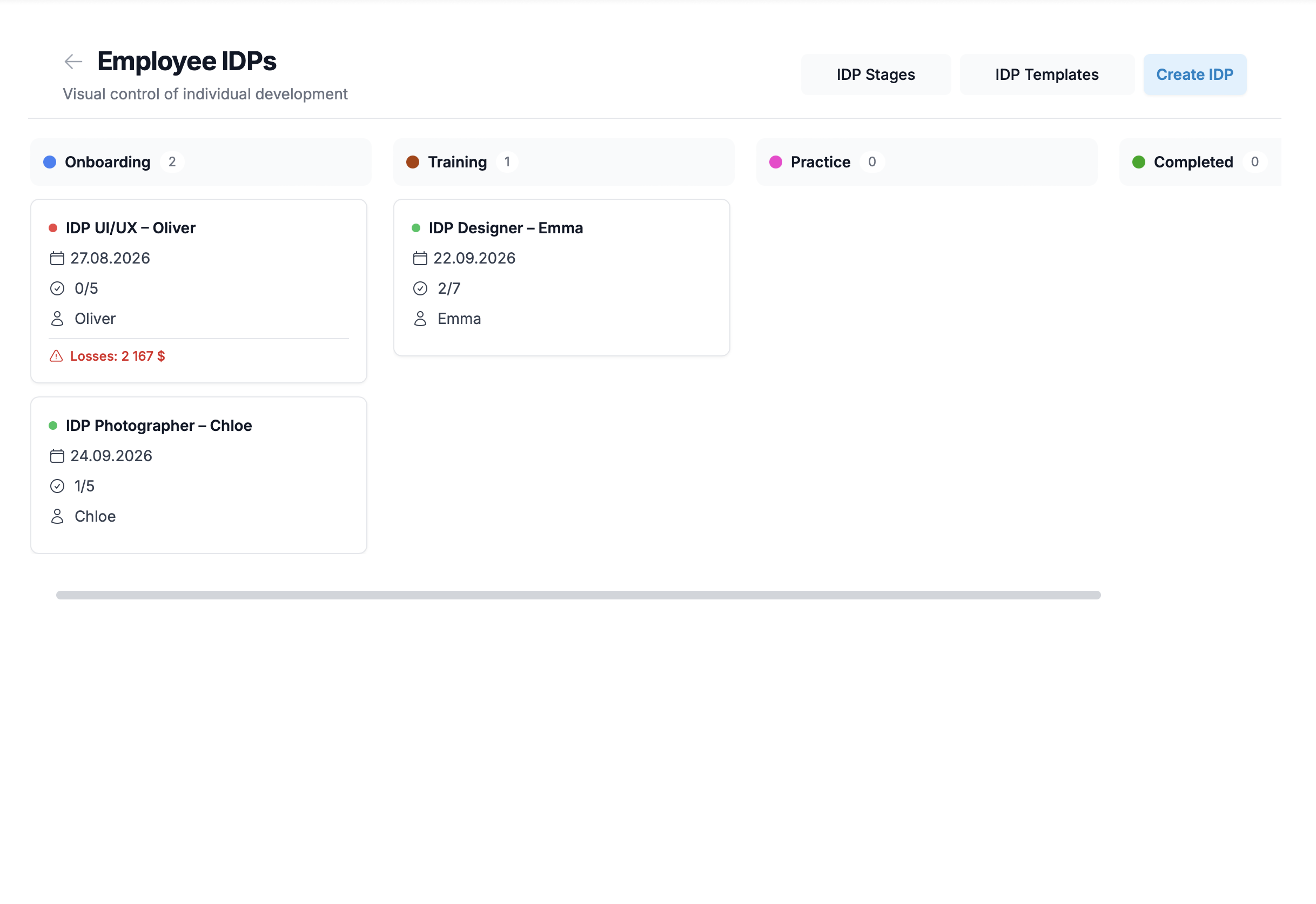
One kanban your shift manager already reads. Each new hire is a card. Each step — a module, a test, homework approved by the mentor.

Tracks · Kanban with checklists · Tests · Homework with manager review · SSO (Google, Microsoft, SAML / OIDC) · Multilingual UI · Mobile-first web

If this sounds like your week

Three patterns we see across operators we talk to. If any of them land, the rest of this page is for you.

PreboardingPizza chain

Five candidates signed offers. Two weeks later, three never showed up.

Between offer-day and day 1, nobody talks to them. They get a counter-offer, lose interest, or just forget. You burned recruitment cost and your shift is short again.

OnboardingQSR / kitchen line

New hire speaks Spanish at home. Your training is in English. The senior cook ends up teaching them on the line.

Your shift manager loses two hours a day to "translating the manual". Quality drifts. The new hire is productive in 4-6 weeks instead of one.

OnboardingRetail chain

Each store manager onboards their way. Five locations means five different versions of "good service".

You audit a store and the new floor associate has never heard of the upsell script your other locations use. There is no single source. Drift is invisible until customers leave.

What changes when you run onboarding.team

Three things you should expect — phrased as outcomes, not features.

1

Hires actually show up on day 1

Your preboarding journey runs from the moment they sign. Welcome message, day-1 expectations, a short context module on the company — light enough to feel cared for, structured enough to keep them engaged through the gap.

2

Faster ramp to productive — revenue back

Built for the move from "watching" to "running their station" inside the first week. Each module ends with a check, each shift has practice. Your shift manager stops being a tutor.

3

One standard across every location

One source of truth, one journey structure, one version of "good". Every new hire — across every store, kitchen, or warehouse — runs through the same onboarding, in whichever language version your team has authored.

How it works

From the materials you already have to a journey that runs for every new hire — in three moves.

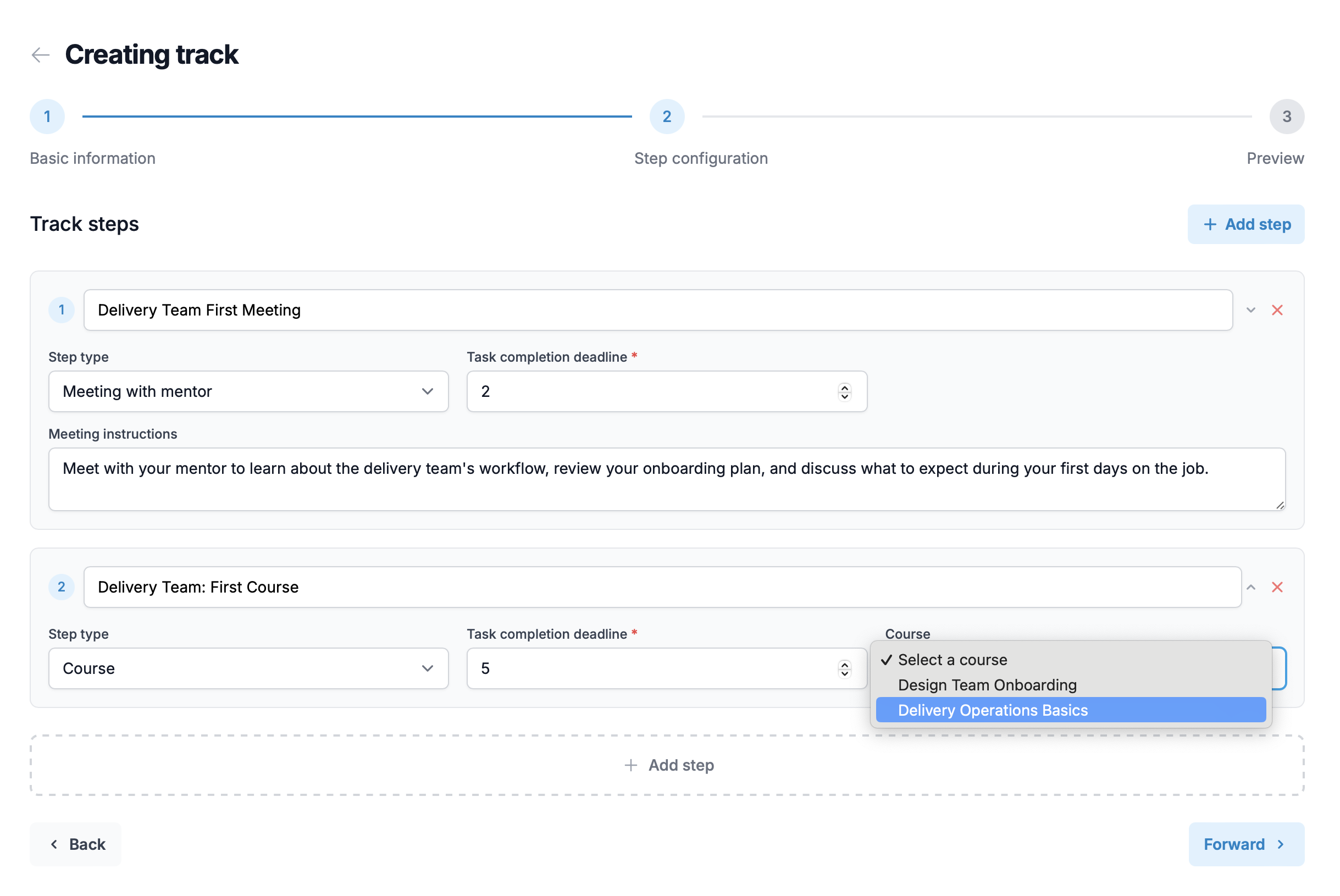
  1. 01

    Build one journey from materials you already have

    Bring your existing checklists, manuals, and SOPs into a single preboarding + onboarding track. We help you split them into the right shape — short modules, day-1 essentials, week-one practice — without a content team.

  2. 02

    Hires get the right journey, starting the day they sign

    You assign each new hire to the journey your team built in their language. Preboarding starts the moment they accept the offer, not on day 1 — so they walk in prepared, not surprised.

  3. 03

    By day 1 they know the basics. By the end of the week, they are productive

    Each new hire is a card on a kanban the shift manager already knows how to read. Modules pass, homework gets approved by the assigned mentor, the card moves on. One overview dashboard shows every hire still in a journey — who is ready, who is stuck — so nobody has to chase status.

What’s inside the journey

Two phases. Each item is what it does for the new hire — not a feature on a list.

Preboarding

From signed offer to day 1 — the gap most operators leave silent.

  • A personal welcome on the day they sign

    They do not sit in silence after accepting the offer. The first touch happens automatically — so they do not drift, ghost, or accept a counter-offer.

  • No surprises on day 1

    What to wear, what to bring, where to go, who will meet them, when to arrive. They walk in prepared, not nervous.

  • Paperwork done before they walk in

    Forms, IDs, agreements — handled digitally, not as a stack on their first morning. Day 1 is for working, not for filling out documents.

  • They know what they are walking into

    A short module on what your operation does, why it exists, what good looks like — read in whichever language version your team has authored.

  • Light check-ins so they do not drift

    A few short touchpoints between offer-day and day 1, calibrated to keep them engaged without overwhelming them.

Onboarding

Day 1 onwards — from watching to running their station.

  • A structured learning path, not scattered handbooks

    Sequenced micro-modules built around how a new hire actually ramps — not a PDF folder waiting to be opened.

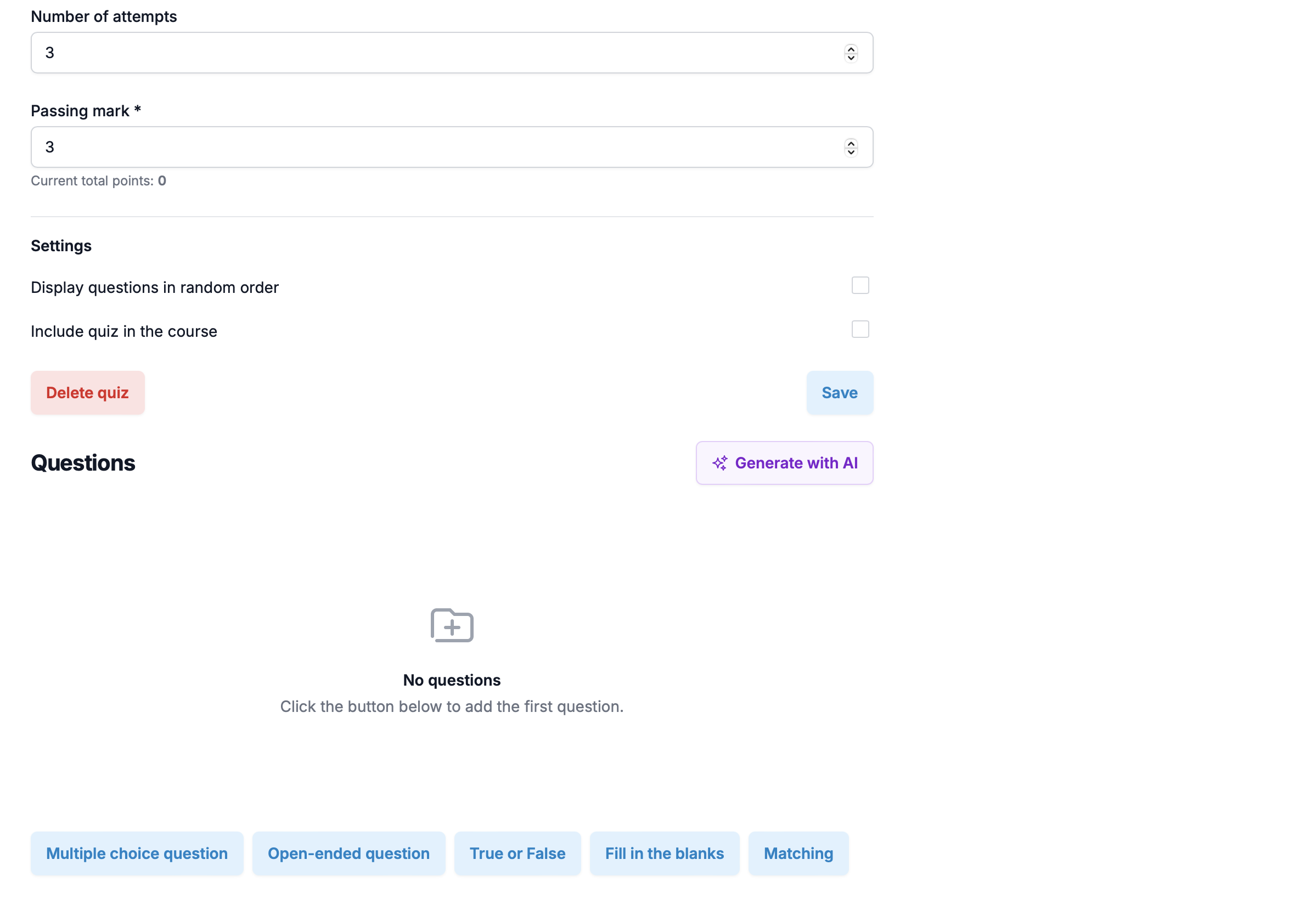
  • A test at the end of each module — pass to move on

    Multiple-choice or short-answer checks gate the next step. Your shift manager stops guessing whether the hire got it; the system shows pass / fail before the hire is on the floor.

  • Homework for the parts a test cannot prove

    Closing a station, opening a register, a first walk-through with a real customer — the hire submits proof (note, photo, file). Their assigned mentor reviews it and approves. The card moves on the board only when the work is done, not when the video is watched.

  • A kanban board the shift manager already knows how to read

    Each new hire is one card moving across the columns of their journey. The mentor sees their hires and their pending reviews. No Gantt, no spreadsheet — the same mental model as the shift board on the wall.

  • A mentor owns the hire, not the shift manager

    Assign one senior teammate per hire. They get the new-hire card on their kanban, the reminders, and the homework to review — so your shift manager goes back to managing shifts.

  • You see readiness, not activity

    One overview dashboard lists every hire still in a journey — who is ready, who is stuck, why. The metric is modules passed, homework approved, day-1 plan complete — not who watched the most videos.

  • On the only screen they actually carry

    The whole journey is mobile-first web — runs in any phone browser, no app install. A line cook reads the day-1 brief on the phone in their pocket — not on a desktop they do not have.

What is in the platform

The actual tools, named for what they are

Outcomes are above. This is the catalog — every feature you can click on day one of the trial. No vapor, no “coming soon” mixed in.

Workflow

Tracks (preboarding + onboarding journeys)

One track per role, location, or hire profile. The same hire moves through preboarding (offer-accepted → day 1) and onboarding (day 1 → productive) inside one journey, not two disconnected products.

Workflow

Kanban board with task checklists (the daily view)

Each new hire is a card. Each task is a checklist item the manager, mentor, or hire ticks off. Cards move across columns as the hire progresses — no Gantt charts, no spreadsheets, no PM jargon. A shift manager already knows how to read it.

Learning

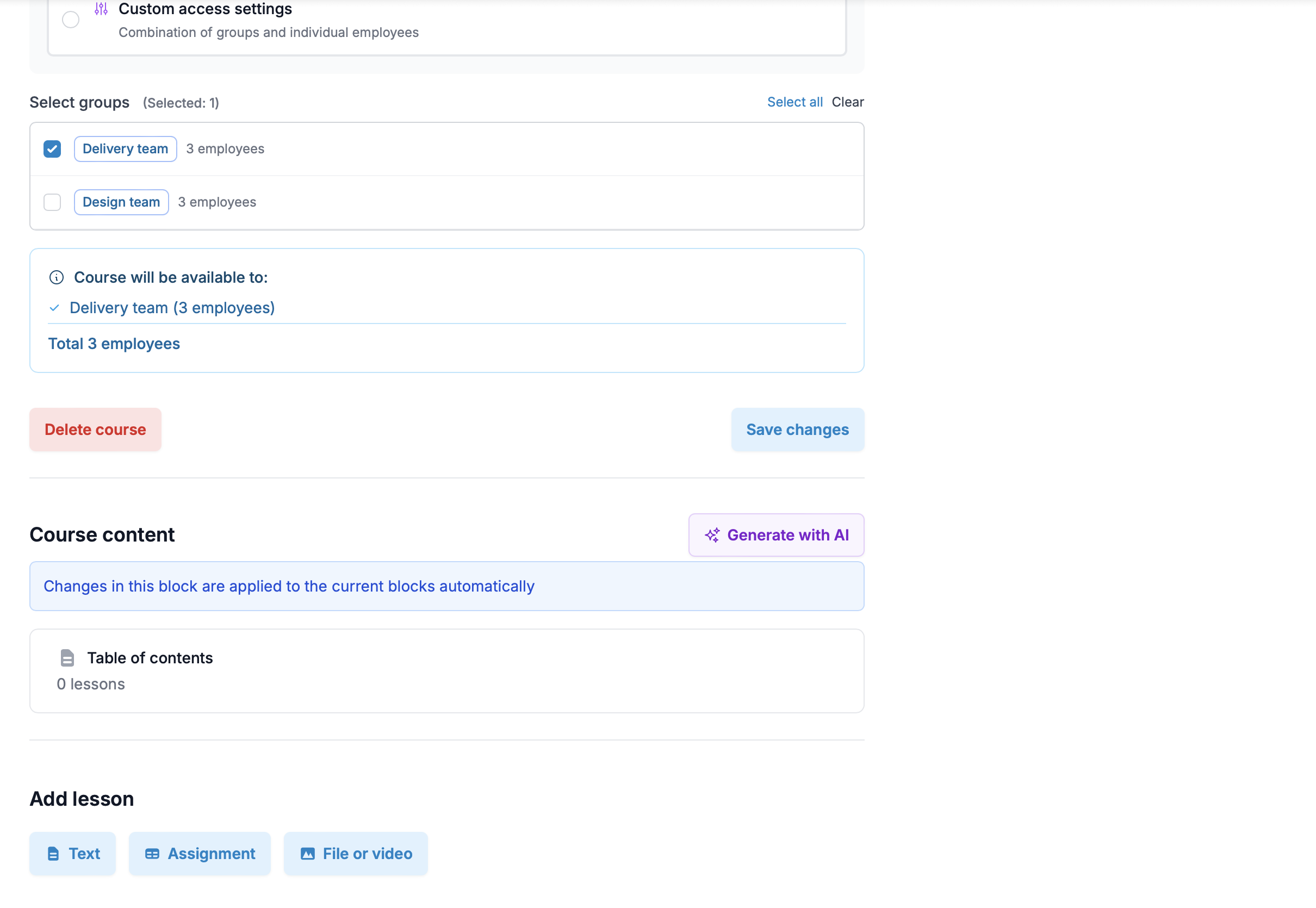
Built-in training modules and tests

Short modules attached to track steps, with an end-of-module test. The hire cannot move on until they pass. You see who passed, who failed, who needs another pass — without a separate LMS.

Learning

Homework with manager review

For practical steps that cannot be tested with multiple choice — closing a station, opening a register, walking through a return — the hire submits proof (text, photo, file). Their assigned mentor or manager reviews it, approves, and the card moves on.

Workflow

30-60-90 day track templates

A familiar shape for buyers who already think in 30-60-90: pre-built track skeletons you fill with your own content. Equally usable as a 1-week ramp for high-turnover roles, or a 12-week ramp for skilled positions.

Access

Mentor and manager assignment per hire

Assign one mentor per hire (or a small group). The mentor sees only their hires on their kanban board, gets reminders for upcoming reviews, and approves homework. Your shift manager is not pulled into every step.

Access

Multilingual platform UI

The admin and the hire interface ship in multiple languages — a Spanish-speaking shift manager runs the dashboard in Spanish, a Tagalog-speaking line cook reads their day-1 brief in Tagalog. Content is authored by your team in parallel versions; we do the language routing.

Access

Single sign-on (Google, Microsoft, SAML / OIDC)

Your team logs in with the corporate identity they already use. Google and Microsoft on standard plans; full SAML / OIDC for enterprise IdPs. Your hires use a one-time passwordless link or their phone — no install, no second password to remember.

Visibility

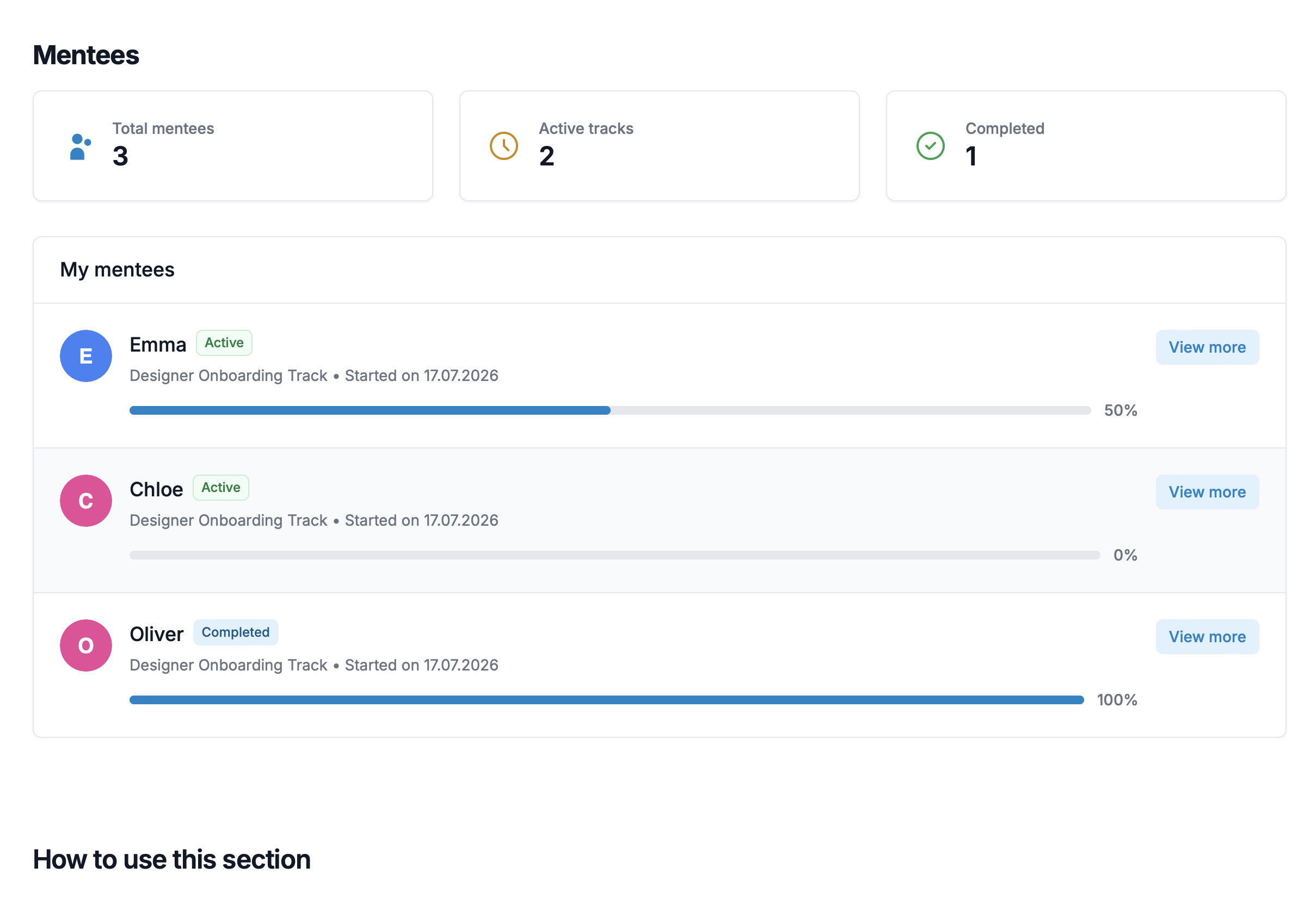
Overview dashboard across all active hires

One screen that lists every hire currently in a journey, the courses they are on, and where they are stuck — modules passed, homework awaiting review, day-1 plan complete. The metric is progress through the journey, not video minutes watched.

Visibility

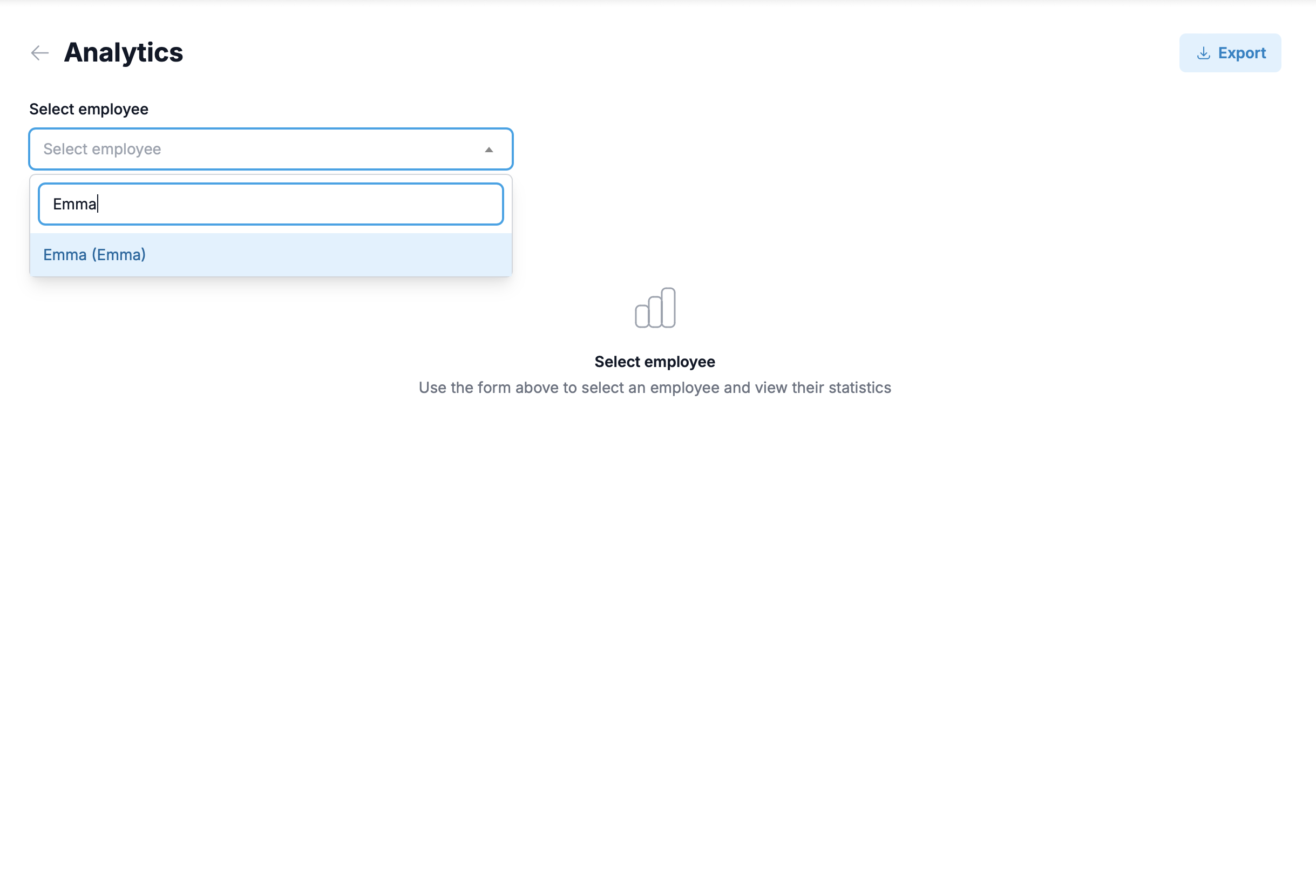
Per-hire history and analytics

For any hire, the full record of their journey: every test attempt and result, every homework submission and the manager who approved it, every step completed and when. Useful for a one-on-one, useful for a security review, useful for a re-hire conversation a year later.

Visibility

CSV export and (Enterprise) HRIS / ATS webhook

Export progress data as CSV from any plan. On Enterprise we wire a webhook from your ATS or HRIS so a signed offer automatically opens a journey — same data, less double-entry.

Why we exist

Built by operators, alongside the HR teams who run frontline at scale.

Built for restaurants, retail chains, hotels, logistics operations — and single-site ops with 50+ frontline staff.

Up to 1 in 4 frontline hires drop off between signing the offer and day 1

In hospitality and retail, the gap between offer-accepted and first shift is where you lose people you already paid to find. Preboarding closes the gap — light enough to feel cared for, structured enough to keep them engaged.

Frontline ramp is rarely a "training" problem — it is a sequence problem

Most new hires can do the work. They just do not know what comes first, what matters today, who to ask. A kanban with the right columns and a checklist on each card makes the sequence explicit — for the hire, the mentor, and the manager.

A shift manager has 12 minutes between rushes — your tool has to fit that

Anything that needs a Gantt, a roadmap view, or a 30-minute training is the wrong shape for the floor. The board is the same shape as the shift board on the wall, the test is one screen, the homework is one photo or one note. Friction is the enemy.

One product. Pick your hire volume.

Every priced plan ships the full platform — SSO, 30-60-90 templates, per-hire history, all of it. Plans differ only by hires per month. 14-day free trial, no card.

Starter

For first-time buyers and single-site ops.

$99/mo
$79/mo billed annually

Up to 25 hires/mo

Start free trial

Growth

For multi-location operators with steady frontline volume.

$249/mo
$199/mo billed annually

Up to 100 hires/mo

Start free trial

Scale

For chains running heavy hire volume.

$799/mo
$649/mo billed annually

Up to 500 hires/mo

Start free trial

Frequently asked questions

If yours is not here, just reach the team — we answer every email.

    • What's the difference between preboarding and onboarding?

      Preboarding is everything between the candidate signing the offer and their first day on shift — the gap most operators leave silent. Onboarding starts on day 1 and runs through ramp-to-productive. We treat them as one journey because the same hire moves through both, and the cost of dropping either one is the same: a missing person on the floor.

    • How do tests and homework work?

      Each module ends with a short test (multiple choice or short answer). The hire cannot move to the next step until they pass. For practical work that a test cannot prove — closing a station, opening a register, walking through a return — the hire submits homework (a note, a photo, a file). Their assigned mentor reviews it and approves; the card moves on the kanban only after approval.

    • Can I send the journey before the start date?

      Yes — that is the preboarding phase. The moment a candidate signs, the welcome touchpoints, day-1 expectations, paperwork, and a first short context module start running automatically.

    • How does SSO work? Which providers?

      For managers, mentors, and admins: full SSO (Google, Microsoft 365, and SAML 2.0 / OIDC for any IdP including Okta, Azure AD, JumpCloud, Auth0) is included on every priced plan from Starter up. We do not paywall identity. For new hires we use a one-time passwordless link by email — they do not need to remember another password to do their day-1 work.

    • Do you work for single-location operations, or only chains?

      Both. The pattern we solve — preboarding ghost-rate, ramp time, language barrier, consistency — shows up in single sites with 50+ frontline staff just as much as in 50-location chains. Dark kitchens, central catering ops, and large standalone retail are valid customers too.

    • What happens after the first weeks of ramp?

      We hand the hire off. By the end of the ramp window they are productive on the floor; their ongoing learning, performance reviews, and HR lifecycle stay in your existing tools (LMS, HRIS, performance system). We deliberately do not try to own the rest of the employee journey — that is a different job, run by a different stakeholder.

    • What does the platform actually look like day to day?

      A kanban board. Each new hire is a card. Each task on the card is a checklist item — a module to read, a test to pass, a piece of homework to submit. Cards move across columns as the hire progresses. The shift manager and the assigned mentor see the same board, filtered to their hires. No Gantt, no spreadsheet — the same shape as the shift board on the wall, just digital.

    • Do you have buddy / mentor flow?

      Yes — assignment-based, not algorithmic. You assign one senior teammate per hire (or a small group). The mentor sees their hires on their kanban, gets the upcoming-review reminders, and approves homework. There is no AI matchmaking; you choose who fits.

    • Do I need to write the content myself?

      You start with what you have — checklists, manuals, SOPs, even a few PDFs. The platform gives you the structure (track templates, module skeletons, a kanban with the right columns) and you slot your existing material in. You do not need a content team, and we do not write your content for you.

    • How fast can I get the first journey live?

      Most operators get a first preboarding + onboarding journey running within a week of starting the trial — using materials they already have. The bottleneck is usually deciding what is essential for day 1, not the tool.

    • How do new hires get into the system?

      Manually one at a time, or via CSV upload — that covers most operators on day one. On the Enterprise plan we wire up a webhook or API connection to your HRIS or ATS so a signed offer automatically opens a journey. Same data, less double-entry.

    • Do you do 360 reviews, a wiki, or gamified learning?

      No 360, no wiki — those belong in your performance and knowledge tools, not here. Gamified learning is on the roadmap as an opinionated paid add-on for frontline shifts (points, streaks, micro-rewards) — when it ships it will be a clearly priced extra, not a hidden upgrade. We ship slowly and call out what is shipped versus what is in development.

    • Are you a training platform / LMS?

      No. Training platforms are built for ongoing learning across the workforce. We are built for the specific journey from offer-accepted to productive — the first weeks of a new hire. We ship modules, tests, and homework inside the journey because onboarding needs them — not because we want to replace your training stack. Once the hire is productive, we hand them off.

    • Do you support 30-60-90 day plans?

      Yes — pre-built track templates in the 30-60-90 shape ship on every plan, and you can build your own track of any length. You fill the steps with your content; the same scaffold works equally well for a 1-week ramp on a high-turnover line role or a 12-week ramp on a skilled position.

    • How does multi-language work? Do you translate our content?

      No — we do not translate, we are not an AI rewriter, and we do not produce content for you. Here is the actual model. First, the platform UI itself is multilingual, so a Spanish-speaking shift manager runs the admin in Spanish. Second, your team authors a separate journey per language your floor needs — for example one English journey, one Spanish, one Tagalog — all inside one account. When a new hire arrives, you assign them to the journey in their language. You write the words in each language; we host the journeys side by side and let each hire learn in the one that fits.

    • Can I cancel anytime?

      Yes. Monthly plans cancel at the end of the month, no questions asked. Annual plans are non-refundable for the remaining months but can be downgraded or non-renewed.

    • Does it work on a phone? Most of our staff have no desktop.

      Yes — the hire interface is mobile-first web. A line cook, picker, or floor associate goes through every step on their own phone in the browser. No app install required, no app-store approval, no notifications-permission popup. Layout, controls, and tap targets are sized for thumbs, not for a mouse.

    • How does this fit with our HR team?

      Most of our customers buy in one of two ways: ops drives with HR as partner, or HR drives with ops as partner. Either works. The product fills a gap both functions feel — and the overview dashboard is useful to both. You can give HR full access, or keep it ops-only with read-only access for HR — your call.

Start your first preboarding journey this week

Free for 14 days. No card needed. Bring one position you hire for most often — see the journey running by Friday.